Planning a Commercial Simulator Installation: Racing, Flight and Golf in 2026
A commercial simulator project is not just a bigger home setup. It needs a clear use case, durable hardware, customer flow, staffing plan and room design that can handle repeated use.
Commercial simulator demand is being pushed from several directions at once. Racing simulators are becoming more mainstream through esports, direct-drive hardware and entertainment venues. Golf simulators are benefiting from off-course participation growth and more flexible indoor formats. Flight simulators continue to matter because training demand remains strong and aviation organizations need ways to practice efficiently.
For businesses, that creates opportunity. A simulator can support a showroom, entertainment venue, training room, hospitality space, corporate event product or premium customer experience. The challenge is that commercial builds fail when they are planned like home setups. Start with the business model, then choose the hardware through Commercial Simulator Solutions or a custom quote route.

Define the business model before choosing products
A commercial simulator has to earn its place. Before comparing products, decide what the simulator is meant to do for the business. A showroom may need one impressive setup that helps customers understand premium hardware. An entertainment venue may need multiple durable bays with fast turnover. A training environment may need repeatable controls, documentation and staff oversight. A corporate event space may need visual impact, easy onboarding and reliable reset between sessions.
These use cases produce different product decisions. The most realistic racing simulator may not be the best venue simulator if it takes too long to reset. The most compact golf bay may not be right for a premium membership lounge. A flight cockpit that looks impressive may still need a different specification if the goal is training rather than casual experience.
That is why commercial buyers should start with the Commercial page. The page is designed for projects that need conversation, quote support and planning rather than a simple product-grid decision.
Think in customer flow, not just square footage
Square footage matters, but customer flow matters more. Where does the customer enter? Where do they wait? Where do bags, jackets, drinks or staff tablets sit? How does the next user get ready while the current session ends? A simulator bay that looks spacious when empty can feel cramped during real use if there is no room for staff, guests and equipment.
For a commercial venue, each bay should have a clear front-of-house and back-of-house logic. Customers need an obvious place to stand or sit. Staff need access to start sessions, troubleshoot controls and clean surfaces. Hardware needs protected cable paths. The business needs enough space between experiences that one active simulator does not make the next feel chaotic.
Racing, flight and golf all behave differently. Racing users sit and stay mostly contained. Flight users may need instruction and cockpit explanation. Golf users swing clubs, move around the hitting area and may have groups watching. Treat each simulator type as its own room behavior.
Racing simulators for commercial spaces
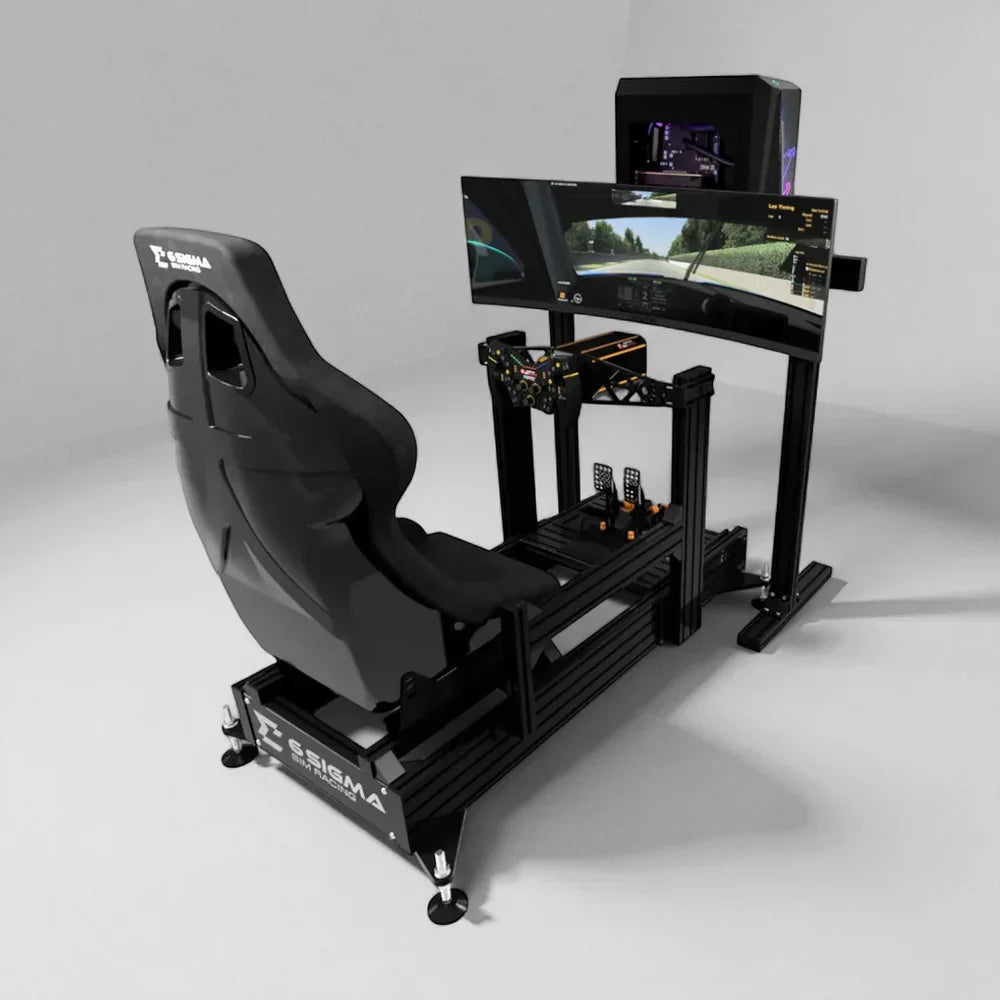
Racing simulators work well commercially because they are instantly understandable. A customer sees the cockpit, wheel and screen and knows what to do. This makes racing a strong option for entertainment venues, showrooms, brand activations and hospitality spaces. The hardware can also be tiered: static cockpits for reliable throughput, motion systems for premium sessions or showpiece experiences.
The commercial question is durability. Seats, pedal plates, wheel mounts and adjustment mechanisms need to survive repeated use by different body sizes and experience levels. A rig that feels excellent for one owner may not be ideal for hundreds of public sessions unless it is easy to adjust and reset.
Products in the Racing Simulators collection, including higher-spec turnkey routes, should be compared by access, reset time, stability and serviceability as much as by immersion. If motion is part of the plan, consider the safety script, emergency stop placement and staff training before launch.
Flight simulators for training and premium experience
Flight simulators can serve two different commercial markets: serious training support and premium enthusiast experience. Boeing’s 2025 Pilot and Technician Outlook projects strong long-term demand for pilots and other aviation professionals, which is one reason flight training infrastructure remains relevant. At the same time, flight simulation has become more accessible to enthusiasts through modern software, cockpit hardware and visual systems.
If the project involves training claims, be careful with language and hardware selection. FAA-approved aviation training devices have specific approval requirements. A generic home cockpit and an approved training device are not the same thing. Commercial operators should be clear about whether the simulator is for entertainment, familiarization, procedural practice or approved training support.
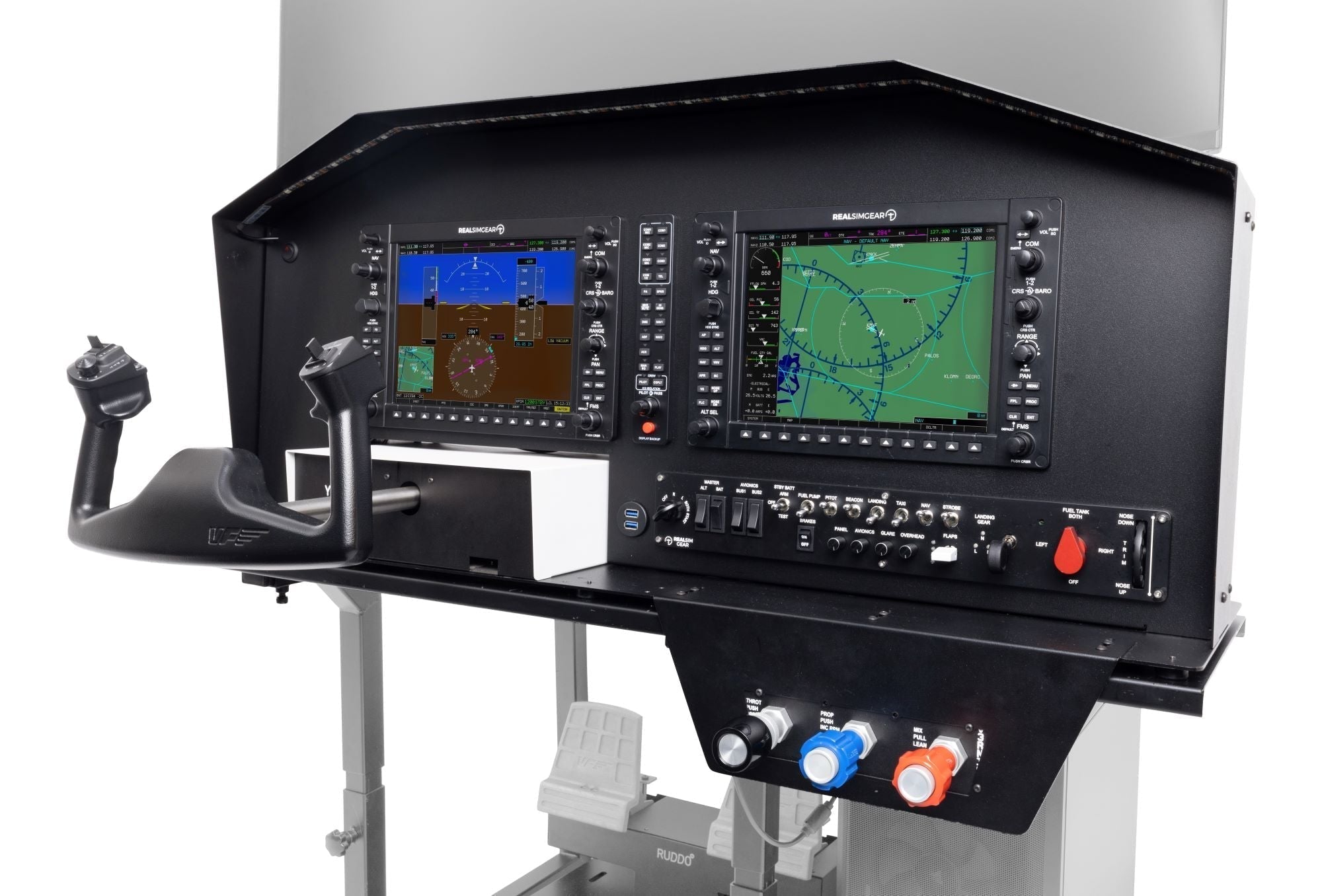
ElitePlay’s Flight Simulators collection includes cockpit and motion products that can support different levels of experience. Products such as the RSG G1000 Package and RSG Cirrus Cockpit are useful examples of the more specialized direction flight buyers may explore.

Golf simulator bays for revenue and retention
Golf simulators are strong commercial candidates because they support lessons, leagues, practice, entertainment, private events and year-round play. National Golf Foundation research shows simulator and screen golf has grown significantly since 2019, and market reports continue to point to expansion through 2026. For venues, the attraction is not just golf practice. It is repeatable indoor use regardless of weather.
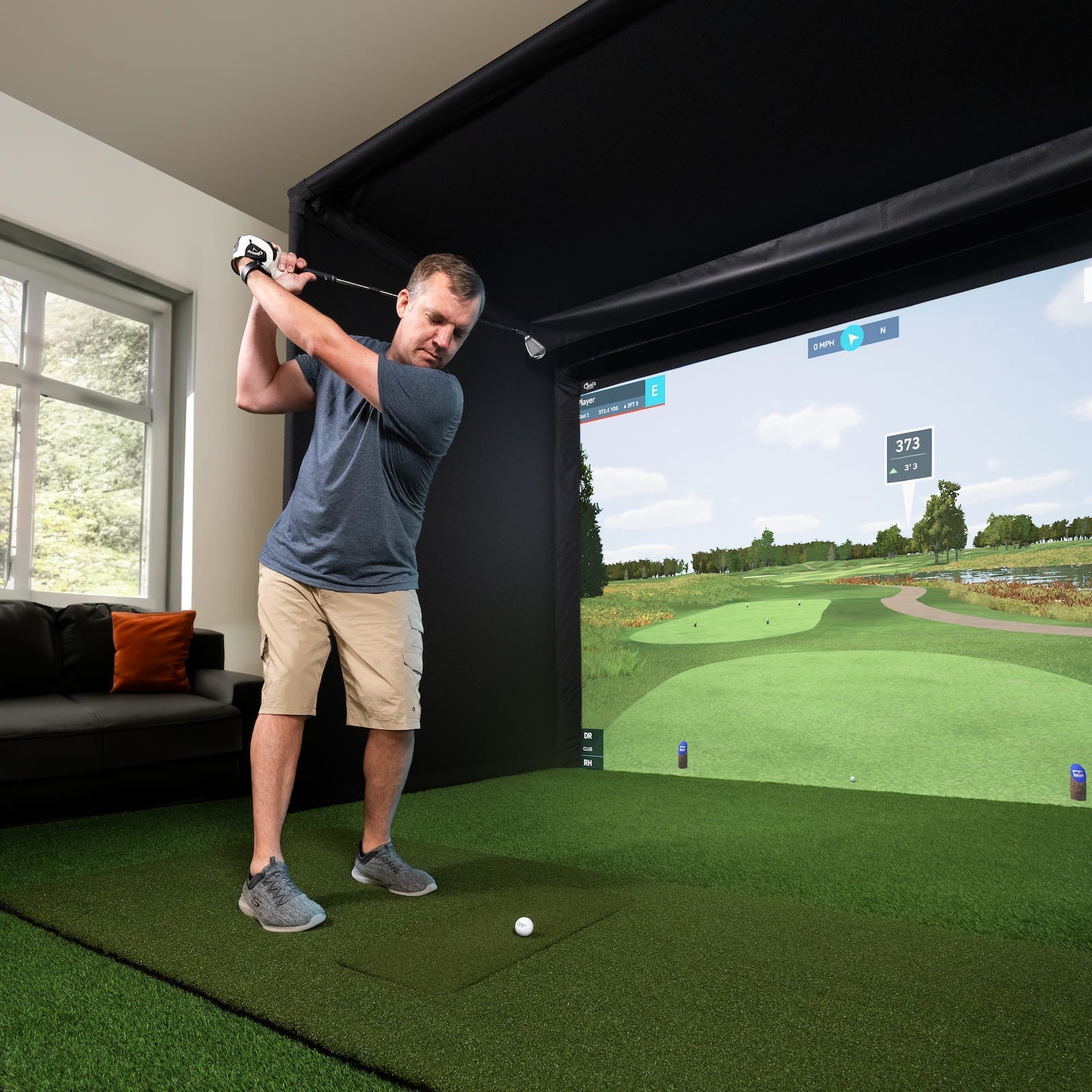
A commercial golf bay must be planned around safety and comfort. Ceiling height, side protection, impact screen quality, hitting surface, launch monitor placement and projector brightness all influence the customer experience. The bay also needs to be simple enough for different players to use without constant staff intervention.
Golf buyers should connect the Golf Simulators collection, Pro Golf Enclosures and Launch Monitors rather than treating them as separate purchases. A commercial golf product is the room, not just the launch monitor.
Hardware mix: one hero setup or several reliable bays
Commercial buyers often face a choice between one flagship simulator and several simpler bays. A flagship setup can be excellent for demos, premium pricing and marketing. Multiple bays can improve revenue capacity and session availability. The right answer depends on the business model. A showroom may benefit from one unforgettable hero rig. An entertainment venue usually needs more than one active station.
There is also a hybrid route. Build one premium motion racing or flight experience as the anchor, then add more accessible static or golf bays around it. This gives the venue a premium story without making every customer session depend on the highest-cost hardware.
The key is to model usage, not just purchase cost. How many sessions per day are expected? How long is each session? How many staff are needed? What happens if one simulator is down? How much space is needed for spectators? These questions should shape the hardware list.
Installation, support and geography
A commercial simulator is a project, not a parcel. Delivery, assembly, calibration, staff training and post-installation support all matter. Some projects can be handled remotely with clear setup instructions. Others need hands-on installation. International or multi-location projects need extra planning around freight, power, compliance and local support availability.
ElitePlay handles installation planning case by case through the partner network described on Custom Builds and Installation. That is the right framing for commercial work because every site has different constraints. A storefront, warehouse, hotel, office and golf lounge all need different install conversations.
A commercial pre-quote checklist
- Business model: training, entertainment, showroom, hospitality, membership or events.
- Number of bays or simulator stations required.
- Expected users per day and average session length.
- Room dimensions, ceiling height and access route for equipment.
- Staff workflow, reset process and customer waiting areas.
- Power, internet, PC location, ventilation and cable routes.
- Safety requirements, waivers, supervision and emergency stops where needed.
- Whether installation support is required locally, nationally or internationally.
- Whether the setup needs to be moved, expanded or replicated later.
Plan the experience before the quote
The best commercial simulator quote is not a list of expensive parts. It is a plan for an experience. Customers should know where to go, what to do, how to start and what makes the session worth paying for. Staff should know how to reset, support and maintain the bay. Owners should understand how the equipment supports revenue, retention and brand value.
It is also worth planning the first month of operation before buying. Decide how sessions will be priced, who will introduce the equipment, how faults will be reported, and what happens if a customer arrives with no simulator experience. Those operational details make the equipment feel professional from day one.
Start with Commercial Simulator Solutions if the project needs a quote. If the buyer is still exploring the category, the fastest path is to use Find My Simulator and then send the room and business details through Contact.
How to use this guide before you ask for a quote
The easiest way to turn this advice into a useful recommendation is to collect the practical details before asking for help. For a home setup, take photos of the room from two angles, write down the usable width, depth and ceiling height, and note whether the simulator needs to share the room with furniture, storage or daily work. For a commercial setup, add the business goal, expected number of users, preferred session length and whether staff will operate the system. Those details let ElitePlay narrow the answer quickly instead of asking you to decode every product specification.
Budget is useful too, but it should be shared as a working range rather than a hard guess. A serious simulator can often be built in stages: frame and core controls first, then display, PC, motion or room improvements later. If the store knows the end goal, it can recommend a first step that will not block the later upgrade. This is especially important for racing motion, golf bays and commercial projects because the expensive mistake is not always buying too little. Sometimes it is buying a component that cannot grow with the rest of the room.
Also decide who the simulator is really for. A single enthusiast, a family room, a training environment and a venue do not need the same answer. A single user can tolerate a more tailored cockpit position. A family needs adjustment. A venue needs durability and reset speed. A training room needs repeatability and clarity. Once the user is defined, the product path becomes easier to judge.
Common mistakes to avoid
- Buying the headline product before confirming the room measurements.
- Treating the screen, cockpit, mat, launch monitor or motion platform as separate decisions instead of one environment.
- Choosing the highest specification without checking whether the user will feel the benefit.
- Forgetting power, cable routing, ventilation, access and maintenance space.
- Ignoring who else will use the simulator and how quickly it needs to adjust.
- Assuming commercial projects are just larger home builds.
- Leaving installation planning until after the hardware has already been chosen.
A good simulator purchase should feel considered rather than rushed. If a product page answers the whole question, use it. If the category page gives enough direction, start there. If the project still has unknowns, use the guided route or contact form. The goal is not to make the most complicated setup possible. The goal is to build a simulator that fits the room, feels right to use and has a sensible path for future upgrades.
Keep the final decision practical: write down the one thing the simulator must do best, then the two things that would be nice to add later. That small priority list keeps the buying process focused and helps prevent a setup that looks impressive on paper but misses the way it will actually be used.
How to compare two good options
Once the shortlist is down to two or three good choices, stop comparing every specification equally. Pick the criteria that will actually change the experience. For a racing build, that may be cockpit rigidity, pedal position, motion readiness and display plan. For a golf bay, it may be swing clearance, launch monitor placement, enclosure size and projector position. For a flight or commercial setup, it may be control layout, user workflow, durability and support. A spec only matters if the user will feel it or the room requires it.
Price should be compared as a system cost, not just a product cost. A lower-priced item can become the expensive route if it needs extra brackets, replacement controls, a different screen, a stronger frame or a later rebuild. A higher-priced package can be better value when it reduces compatibility risk and moves the buyer closer to the complete experience. This is why ElitePlay’s guided pages, category pages and quote routes all matter: they help the shopper compare the full setup rather than a single line item.
Also compare the amount of decision-making each route leaves open. Some buyers enjoy choosing every component. Others want a confident recommendation. Neither buyer is wrong. The best route is the one that matches how much control the customer wants over the build. A hobbyist may prefer component-level decisions; a commercial buyer or busy homeowner may prefer a clearer package or a managed quote.
When to stop researching and ask for help
Research is useful until it starts repeating itself. If the same questions keep coming back — will this fit, will these parts work together, is motion worth it, should this be custom, what happens if I upgrade later — that is usually the point where a guided recommendation is more valuable than another comparison tab. Simulator setups have too many room-specific variables for every answer to be solved by reading.
The best message to send is simple: the room dimensions, a photo or two, the main goal, the rough budget, the products already being considered and any must-have features. With that context, ElitePlay can steer the buyer toward a product, a collection, the finder route or a custom quote. That saves time and lowers the chance of buying something that is technically impressive but wrong for the space.
This is also where a specialist store is most useful. A marketplace can show hundreds of parts, but it cannot easily explain which parts belong together for a real room. A guided simulator store should reduce the number of decisions the customer has to make alone and make the next step feel obvious.
Next step
If you are comparing options now, start with Find My Simulator or send your room, goals and budget through the contact page. ElitePlay can help you decide whether a listed product, a guided collection route or a custom quote makes more sense.
Sources and market context
This guide was written in June 2026 and shaped around current simulator, golf and aviation market signals, plus the products and pages available on ElitePlay Simulators.