Direct Drive Racing Wheels in 2026: What Torque, Pedals and Cockpit Rigidity Really Mean
Direct drive has become the default serious sim-racing conversation, but torque is only one part of the buying decision. The frame, pedals, seating position and upgrade path decide whether the wheelbase can actually perform.

Why direct drive is the 2026 baseline for serious buyers
Direct-drive wheelbases have shifted from specialist hardware to the center of serious sim-racing buying. The category is now visible at several price points, and current buyer guides regularly discuss torque, dynamic range, clipping, ecosystem choice and force-feedback detail in ways that used to be reserved for advanced hobbyists. That does not mean every buyer needs the strongest wheelbase available. It means even a first serious setup should be planned around the forces a modern wheelbase can send through the frame.
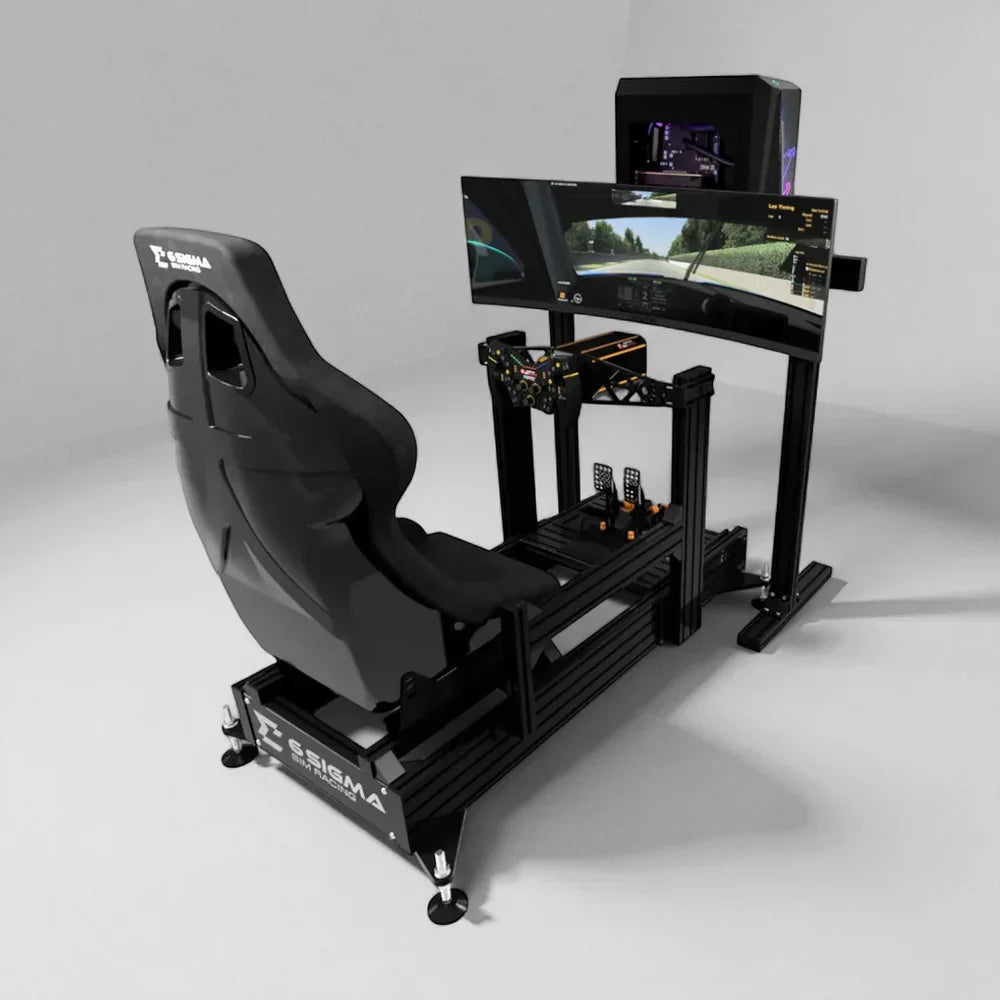
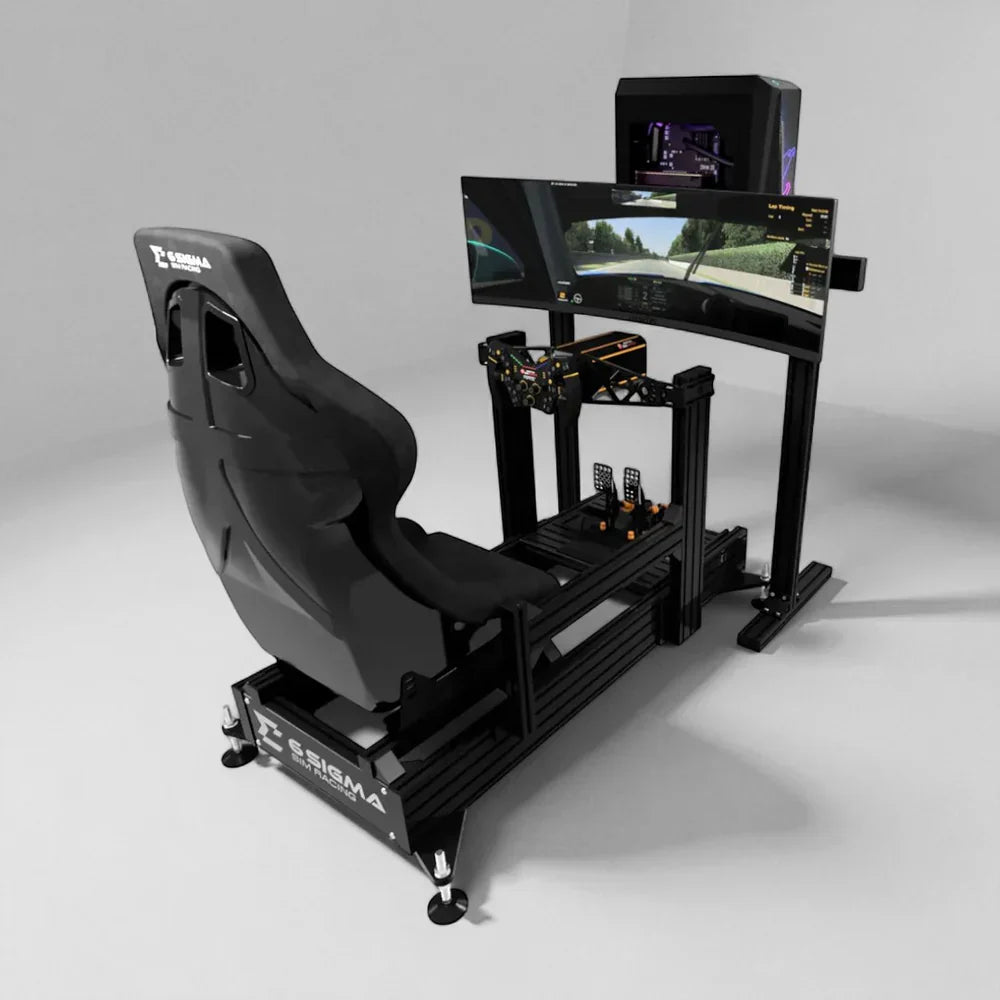
The first mistake is treating the wheelbase as a standalone upgrade. A direct-drive system only feels premium when the cockpit can hold it still, the pedals can be mounted properly, and the driver can sit in a repeatable position. That is why the Racing Simulators collection should be read as a system category, not just a list of steering wheels and frames.
Torque numbers are useful, but they are not the whole story
Torque is usually measured in Newton meters, and it is the number buyers notice first. More torque can mean more headroom, stronger peaks and less force-feedback clipping. But a higher number does not automatically make the simulator better for every driver. Many racers run powerful wheelbases below their maximum output because they want detail, comfort and consistency rather than a wrestling match.
The useful question is how much dynamic range the driver needs. Casual racing, GT practice, drifting, rally and formula-style driving can all feel different. A lower-torque direct-drive bundle may be excellent for a compact setup. A higher-torque base makes more sense when the cockpit is rigid, the driver wants more headroom, and the rest of the system is ready for the extra force.
The cockpit decides whether the wheelbase feels expensive
A direct-drive wheelbase transfers force through the mount, the steering deck, the frame, the seat and the floor. If the cockpit flexes, the detail gets lost. If the pedal tray moves, braking becomes inconsistent. If the seat position shifts, the driver spends every session adapting instead of improving. Products such as the GTTrack and higher-end turnkey packages should be compared by rigidity and adjustment as much as by headline features.
A strong cockpit also protects the upgrade path. A buyer may start with a modest wheelbase and later add stronger pedals, haptic feedback or motion. If the frame was chosen only for the first setup, the upgrade may expose limitations. If the frame was chosen as the foundation, the rest of the build can grow without feeling patched together.
Pedals often change lap consistency more than extra torque
Many buyers obsess over wheelbase power and under-invest in pedals. That is backwards for drivers who care about consistency. Braking is where lap time, confidence and repeatability often live. A solid pedal plate, a comfortable seat position and a brake that can be pressed hard without flex may do more for the experience than adding more peak torque to a weak frame.
This is especially true with load-cell and hydraulic-style pedal sets. Those pedals reward a cockpit that can resist force. If the seat slides back or the tray bends, the driver loses muscle memory. The better buying question is not only which pedals are best, but whether the cockpit lets the pedals work properly.
Haptics and motion should come after the foundation
Haptic pedals, seat shakers and compact motion platforms are becoming more visible, and they can add a useful physical layer. But they should not be used to hide a weak foundation. A clean static rig with a rigid frame and good pedal position will usually feel better than a moving setup that is not stable. Add-ons like the Motion Platform V3 and Motion Plus Platform make most sense once the cockpit, screen and controls are already planned.
If motion is the long-term goal, tell ElitePlay early. A package such as the 6S-120 Asetek Invicta Turnkey Mimo 4 Motion is a different conversation from a compact static build. Motion affects floor clearance, cable slack, access space and how the simulator is installed.
Screen position is part of the force-feedback experience
Force feedback feels more convincing when the visual environment supports it. A direct-drive wheelbase may communicate grip clearly, but the driver still needs a believable field of view. Single monitors, ultrawides, triples and VR can all work, but each has a different space and setup requirement. Screen distance and eye height should be planned alongside the cockpit, not after everything arrives.
A high-torque wheelbase on a poorly positioned display can feel less immersive than a moderate direct-drive setup with a clean visual plan. This is why simulator buying should be treated as one environment. Wheel, pedals, seat, screen and room all influence one another.
Who should buy direct drive first
Direct drive should be high on the list for a buyer who already knows they enjoy sim racing, wants a serious first setup, or is replacing a weaker wheelbase. It is also sensible for shoppers who want a system that will grow into better pedals, a stronger cockpit or motion later. The wheelbase should not be chosen in isolation, but it can be a strong anchor for the whole build.
A buyer who wants fewer compatibility decisions should compare turnkey routes such as the 6S-160 Asetek Invicta Turnkey. A buyer with unusual space, a triple-screen plan or a future motion build should start with Custom Builds and Installation so the room and upgrade path are planned together.
The pre-purchase checklist
Before buying, confirm the cockpit footprint, doorway access, screen plan, pedal position, PC location, cable path and whether the floor can support the setup. Then decide whether the driver needs portability, adjustability, motion readiness or a fixed driving position. Finally, choose the wheelbase ecosystem and torque level that fit that foundation.
The best direct-drive setup is not the one with the largest number on the spec sheet. It is the one where the torque, frame, pedals and screen all feel like they belong together. That is the route that turns a premium component into a premium simulator.
How to use this guide before buying
Use this article as a planning tool before you compare individual products. The most useful next step is to write down the room size, the user type, the main goal and the budget range. That information will tell you whether to shop a listed product, browse a collection, use Find My Simulator, or send a more detailed request through Contact.
The best simulator purchase usually has a clear order of decisions. First, confirm the room. Second, choose the discipline and experience level. Third, decide whether the setup should be permanent, semi-permanent or flexible. Fourth, check the hardware path against future upgrades. That order prevents the common mistake of buying the exciting component first and then discovering that the room, frame, screen or workflow cannot support it.
If this is a normal home purchase, start from Racing Simulators and compare the options against the room. If the project includes installation, commercial use, unusual dimensions, multiple simulator types or a premium finish, it is usually better to start from Custom Builds and Installation so the build can be treated as a complete environment.
Questions to answer before requesting a recommendation
- What exact space is available, including width, depth and ceiling height?
- Who will use the simulator most often, and how experienced are they?
- Does the setup need to be moved, shared or reset between users?
- Which part of the experience matters most: realism, training value, entertainment, speed of setup or visual impact?
- What equipment is already owned, and what must be included from day one?
- Is there a future upgrade path for motion, better controls, stronger screens, software or commercial operation?
- Will the simulator be self-installed, installed with help, or planned as a full custom project?
A practical comparison method
When two options both look good, stop comparing every specification equally. Rank the criteria that will change the experience. A racing buyer may rank cockpit rigidity and pedal position above maximum torque. A flight buyer may rank control layout and visual field above decorative cockpit detail. A golf buyer may rank measurement reliability and room fit above the flashiest software feature. A commercial buyer may rank reset speed and durability above the most advanced single-user configuration.
Price should also be compared as a system cost. A lower-priced product can become the more expensive route if it forces a later rebuild, needs extra mounting hardware, or cannot grow into the intended setup. A higher-priced package can be better value when it removes uncertainty and gets the buyer closer to the finished simulator. ElitePlay’s strongest product paths are the ones that make the total setup easier to understand, not just the product page easier to read.
When to stop researching
Research is useful until it starts repeating the same uncertainty. If the buyer keeps asking whether the room will fit, whether the components work together, whether the setup should be turnkey or custom, or whether an upgrade can happen later, that is the point where a guided recommendation is more valuable than another browser tab. Simulator builds are too room-specific for every answer to come from generic comparisons.
The simplest message to send is: room dimensions, photos, main goal, budget range, products under consideration and any must-have features. With that context, ElitePlay can point the buyer toward Racing Simulators, a specific product, or a custom quote route.
Budget planning: spend where the user will feel it
The cleanest budget is not always the lowest hardware total. It is the budget that puts money into the parts the user will notice every session. For this topic, that usually means prioritizing the foundation, measurement, controls, screen plan, installation fit and upgrade path before adding decorative extras. A setup can look premium in photos and still feel frustrating if the core experience is not stable, clear or easy to start.
Think of the purchase in layers. The first layer is the room: space, ceiling height, power, lighting, cable routes and access. The second layer is the experience hardware: cockpit, enclosure, monitor, projector, controls or motion depending on the discipline. The third layer is the software and operating routine. The fourth layer is future expansion. When a buyer understands those layers, the price conversation becomes more useful because every dollar has a job.
For many ElitePlay customers, the right path is not to buy everything possible on day one. It is to buy a strong first version that does not block the second version. A racing customer may start with a rigid cockpit and direct-drive-friendly frame before motion. A flight customer may start with the right control layout before adding a larger visual system. A golf customer may start with the correct launch monitor and enclosure geometry before upgrading the room finish. A commercial customer may start with fewer bays that are easier to operate before adding capacity.
Installation and setup realities
Installation should be considered before checkout, especially when the simulator involves heavy frames, large screens, motion platforms, projectors, commercial bays or multiple users. The question is not only whether the product can be assembled. It is whether the final setup will be clean enough to use often. Cable paths, PC location, power access, ventilation, screen alignment and walking space all affect the daily experience.
A buyer planning self-installation should confirm the delivery route, tools, available help and setup time. A buyer planning a premium room should think about the finished space: how the simulator looks when not in use, how easy it is to clean, whether guests can understand it, and whether the hardware feels intentionally placed. Commercial buyers should go further and plan staff access, customer instructions, reset time, maintenance checks and what happens if one component needs support.
This is why Custom Builds and Installation matters even for shoppers who begin on a product page. The more the simulator has to fit a specific room or business workflow, the more valuable a planned recommendation becomes. A strong quote is not only a price. It is a way to remove unknowns before the equipment arrives.
How this article should connect to the rest of the store
Use this guide as one step in a buying path rather than a final isolated answer. If the buyer is still deciding what kind of simulator they need, start with Find My Simulator. If the discipline is already clear, move into the most relevant collection and compare product routes there. If the room is unusual, the budget is high, or the project needs installation support, use the contact or custom-build route before narrowing to a single product.
The internal links are there to keep the buyer moving without forcing them into a dead end. A guide should help someone understand the decision, then take the next step naturally. For this article, the main next step is Shop racing simulators. From there, the buyer can compare specific products, send details, or ask ElitePlay to turn the requirements into a more complete recommendation.
Red flags that mean the buyer needs help
- The room dimensions are close to the minimum and there is no clear access space.
- The buyer is comparing premium products but has not chosen a screen, cockpit, enclosure or control layout.
- Several people will use the simulator and adjustment speed has not been considered.
- The setup may become commercial later, but the first purchase is being planned like a single-user home build.
- The buyer wants future motion, better displays, a stronger launch monitor or a second simulator bay but has not checked compatibility.
- The product looks right online, but delivery route, ceiling height, power or mounting are still unknown.
- The budget is fixed, but the must-have outcome has not been named.
Any of those red flags should slow the buying decision in a useful way. They do not mean the project is wrong. They mean the recommendation needs more context. A quick conversation can prevent a mismatch and usually makes the final choice easier for the customer.
What a strong final decision looks like
A strong final decision can be explained in one or two sentences. For example: this setup fits the room, gives the main user the experience they want, leaves a realistic upgrade path and does not create avoidable installation problems. If the buyer cannot explain the decision that simply, there may still be too many open variables.
The aim is confidence. The buyer should know why this route makes sense, what it includes, what it does not include, and what can be upgraded later. That clarity is what turns a simulator from an exciting purchase into a long-term part of the home, training space or business.
Final review before checkout or quote request
Before the buyer commits, it is worth doing one final review in plain language. Confirm the product or package, the room it will live in, the main reason it is being bought, and the first upgrade that might happen later. Then check whether every part of the route supports that plan. If any answer feels vague, pause and ask for guidance rather than trying to force the purchase through.
This final review is especially useful for premium simulator projects because the biggest risks are rarely hidden in the product title. They are hidden in fit, workflow, expectations and future compatibility. A few extra minutes spent checking those details can prevent a buyer from choosing a product that is technically strong but not right for the way the simulator will actually be used.
Next step
Browse Shop racing simulators, use Find My Simulator for a guided route, or send the room details through Contact if the project needs help before buying.
Sources and 2026 market context
This guide was written in June 2026 and uses current market signals, simulator-buying research and ElitePlay product routes.