Static vs Motion Racing Simulators: Which Setup Makes Sense in 2026?
Motion is not automatically better for every driver. A static cockpit and a motion platform solve different problems, and the right choice depends on the room, the driver and the kind of realism you want.
A few years ago the racing simulator decision was often simple: buy the strongest frame you could justify, add a wheel and pedals, and upgrade later. In 2026 the decision is more layered. Direct-drive wheels are more common, haptic systems are more visible, motion platforms are becoming more compact, and commercial-style rigs are showing up in home setups.
That creates one of the biggest buying questions in the Racing Simulators collection: should you buy a static cockpit, or should you move straight into motion? Both can feel serious. Both can be premium. The difference is not only budget. It is how the simulator will be used, what the room can support, and whether the buyer values repeatable driving input or physical movement more.

What a static simulator does well
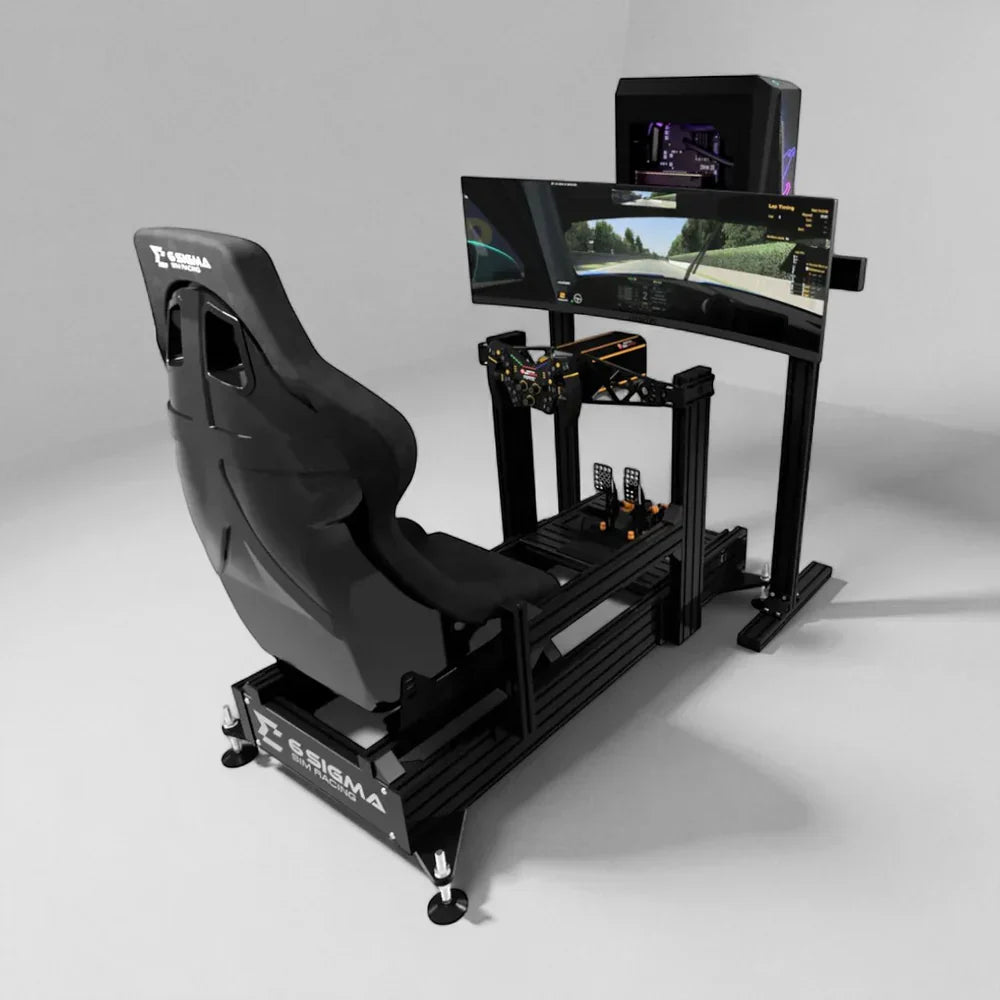
A static racing simulator keeps the cockpit fixed. The frame does not move, which means the driver’s seating position, pedal angle, wheel position and screen relationship stay consistent. That consistency is not boring. For many serious drivers, it is the whole point. When the frame is rigid, the driver can feel steering detail, brake pressure and pedal modulation without the chassis flexing underneath them.
Static cockpits also make the rest of the system easier to manage. Cables can be routed cleanly. Monitors can sit closer to the wheelbase. Accessories are easier to mount. There is less clearance required around the rig. If the simulator is in an upstairs room, shared room or apartment, a static cockpit is often the more practical way to build a high-quality experience without making the room revolve around movement.
Static does not mean basic. A product such as the GTTrack can be a sensible starting point for a driver who wants a defined cockpit without jumping straight to a full motion package. A well-planned static rig can support strong pedals, a better wheelbase and a serious monitor setup.
What motion adds
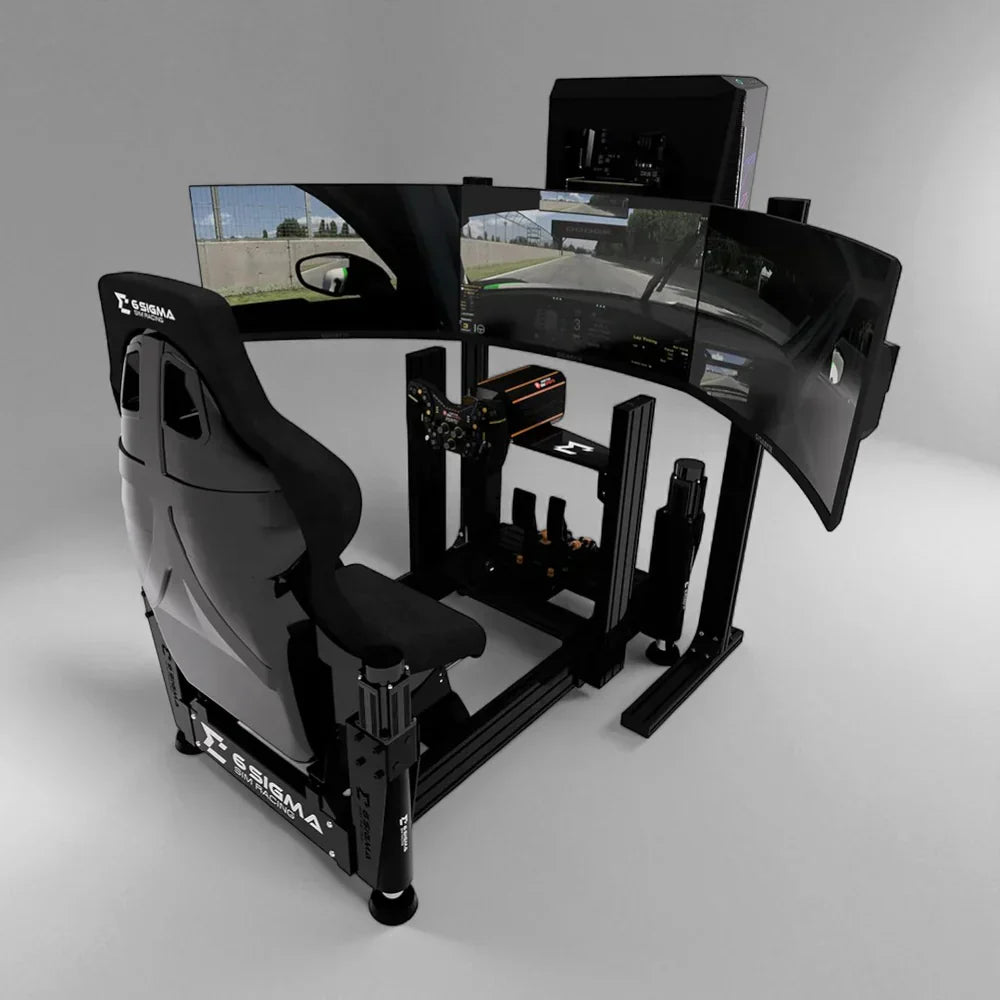
Motion adds physical feedback. Depending on the system, it can simulate acceleration, braking, kerb strikes, road texture, gear shifts, traction changes and body movement. It turns the simulator from something you sit in into something that reacts around you. For some drivers, that extra physical layer is what makes the experience feel complete.
Motion is especially appealing for immersive driving, content creation, events and showrooms. A customer walking into a room will understand a moving simulator instantly. It creates spectacle. In a home environment, motion can make shorter sessions feel more exciting. In a commercial environment, it can make the product easier to sell because the value is felt immediately rather than explained through specs.
ElitePlay carries racing and add-on motion routes, including the Motion Platform V3 and Motion Plus Platform. Those products can be powerful upgrades when the rest of the build is ready for them.
The realism question is not one-size-fits-all
Motion sounds more realistic, but realism has several meanings. For one driver, realism means physical movement. For another, it means accurate wheel feedback, strong braking feel and a seating position that matches a real cockpit. A third driver may care most about field of view, triple screens and consistent lap times. Motion improves one kind of realism, but it can complicate another if the setup is poorly matched.
A competitive driver may prefer the stability of a static cockpit because it makes input repeatability easier. A driver chasing immersion may prefer motion because it makes the body feel part of the car. A family entertainment room may value motion because it creates a wow moment. None of these buyers is wrong. They are simply buying for different outcomes.
The mistake is assuming motion is the automatic final form of every simulator. It is better to ask what the simulator has to do. Is it for serious practice, weekend fun, commercial attraction, content production, customer demos or all of the above? That answer should decide the hardware path.
Space and clearance decide more than budget
Motion needs clearance. Even compact platforms require some room for movement, cable slack and safe access. The rig may need to sit further from walls and furniture. The user may need extra space around the seat. The PC, power supply and display cables have to be protected from repeated movement. A static rig can often sit tighter to a wall or desk; a motion rig should not be treated like normal furniture.
Floor type also matters. A heavy, moving simulator on a weak, uneven or delicate floor can create practical issues. Upstairs rooms may introduce vibration and noise questions. Shared spaces may require stricter cable management and more careful emergency stop placement. These are not reasons to avoid motion, but they are reasons to plan it properly.
If the buyer is unsure, the Custom Builds and Installation page is the right route. Motion is often best specified as part of a full room plan rather than added casually at checkout.
Budget: where the money is best spent first
A static cockpit usually leaves more budget for the wheelbase, pedals, display and PC. That can be the better route for someone who is building performance first. A motion system takes a larger share of the budget but changes the feel of the whole setup. The question is not which is cheaper; it is which investment will be noticed most by the person using it.
For a new driver, the first major jump in quality often comes from a strong, rigid cockpit and a good pedal set. If the braking position is stable and the wheel feels detailed, the simulator immediately becomes more convincing. For an experienced driver who already has good controls, motion may be the next jump because the basic input quality is already solved.
That is why a turnkey option such as the 6S-120 / Asetek Invicta Turnkey - Mimo 4 Motion should be compared against both static and motion goals. It is not just a price comparison. It is a question of whether the buyer wants the motion experience included as part of the core package.

Maintenance, setup time and who will use it
Static simulators are usually easier to live with. There are fewer moving components, fewer safety considerations and fewer setup quirks. That matters if the rig will be used often by different people. A simulator that is easy to start gets used more. A simulator that requires careful preparation before every session may be used less, even if it is technically more exciting.
Motion systems deserve more respect. They should be checked, updated and kept clear. The owner should understand how to start and stop the platform safely. If children, guests or customers will use the rig, the operator needs simple rules for entry, exit and emergency stop. A motion platform can be very manageable, but it is not as passive as a fixed seat.
For commercial spaces, this becomes an operations question. Staff need to reset the rig, explain the experience, handle different body sizes and keep sessions moving. Motion can increase perceived value, but only if the venue workflow supports it.
When static is the better choice
- The simulator needs to fit in a tighter home office, apartment or shared room.
- The driver values lap-time consistency and repeatable inputs above physical movement.
- The budget is better spent on wheelbase, pedals, display or PC first.
- Multiple users need an easy setup with fewer moving parts.
- The buyer wants a strong base now and a possible motion upgrade later.
When motion is the better choice
- The room has enough clearance around the cockpit.
- Immersion and event value matter more than a minimal footprint.
- The simulator is for a showroom, content room or commercial attraction.
- The driver already has or plans to buy hardware strong enough to justify the movement layer.
- The owner is comfortable with extra setup, safety and maintenance considerations.
A smart upgrade path
Many buyers do not need to decide everything on day one. A smart route is to choose a cockpit that supports the next step. If you start static, choose a rigid frame, plan the display properly and keep cable routing clean. If you think motion may come later, leave clearance and avoid building the room so tightly that the platform has nowhere to move.
If you start with motion, resist the temptation to under-spec the rest of the build. Motion cannot compensate for a weak seating position, poor screen placement or inconsistent pedals. The full system needs to work together. The best motion simulator still begins with fundamentals: seat, wheel, pedals, screen, PC and room.
That is why ElitePlay’s guided route is useful. Start with Find My Simulator, browse Racing Simulators, and use Contact if you need a custom recommendation rather than guessing from specs alone.
The bottom line
Static and motion racing simulators are not competing versions of the same answer. They are different answers for different buyers. Static is cleaner, more predictable and often better value for performance. Motion is more physical, more memorable and more suited to immersive or commercial experiences. The right choice is the one that fits the room and the user’s expectations.
If the simulator is meant to become part of a daily or weekly routine, choose the setup that will be easy to use repeatedly. If it is meant to create a showpiece experience, motion may be worth planning around. Either way, the most successful builds start with the full environment, not a single headline feature.
How to use this guide before you ask for a quote
The easiest way to turn this advice into a useful recommendation is to collect the practical details before asking for help. For a home setup, take photos of the room from two angles, write down the usable width, depth and ceiling height, and note whether the simulator needs to share the room with furniture, storage or daily work. For a commercial setup, add the business goal, expected number of users, preferred session length and whether staff will operate the system. Those details let ElitePlay narrow the answer quickly instead of asking you to decode every product specification.
Budget is useful too, but it should be shared as a working range rather than a hard guess. A serious simulator can often be built in stages: frame and core controls first, then display, PC, motion or room improvements later. If the store knows the end goal, it can recommend a first step that will not block the later upgrade. This is especially important for racing motion, golf bays and commercial projects because the expensive mistake is not always buying too little. Sometimes it is buying a component that cannot grow with the rest of the room.
Also decide who the simulator is really for. A single enthusiast, a family room, a training environment and a venue do not need the same answer. A single user can tolerate a more tailored cockpit position. A family needs adjustment. A venue needs durability and reset speed. A training room needs repeatability and clarity. Once the user is defined, the product path becomes easier to judge.
Common mistakes to avoid
- Buying the headline product before confirming the room measurements.
- Treating the screen, cockpit, mat, launch monitor or motion platform as separate decisions instead of one environment.
- Choosing the highest specification without checking whether the user will feel the benefit.
- Forgetting power, cable routing, ventilation, access and maintenance space.
- Ignoring who else will use the simulator and how quickly it needs to adjust.
- Assuming commercial projects are just larger home builds.
- Leaving installation planning until after the hardware has already been chosen.
A good simulator purchase should feel considered rather than rushed. If a product page answers the whole question, use it. If the category page gives enough direction, start there. If the project still has unknowns, use the guided route or contact form. The goal is not to make the most complicated setup possible. The goal is to build a simulator that fits the room, feels right to use and has a sensible path for future upgrades.
Keep the final decision practical: write down the one thing the simulator must do best, then the two things that would be nice to add later. That small priority list keeps the buying process focused and helps prevent a setup that looks impressive on paper but misses the way it will actually be used.
How to compare two good options
Once the shortlist is down to two or three good choices, stop comparing every specification equally. Pick the criteria that will actually change the experience. For a racing build, that may be cockpit rigidity, pedal position, motion readiness and display plan. For a golf bay, it may be swing clearance, launch monitor placement, enclosure size and projector position. For a flight or commercial setup, it may be control layout, user workflow, durability and support. A spec only matters if the user will feel it or the room requires it.
Price should be compared as a system cost, not just a product cost. A lower-priced item can become the expensive route if it needs extra brackets, replacement controls, a different screen, a stronger frame or a later rebuild. A higher-priced package can be better value when it reduces compatibility risk and moves the buyer closer to the complete experience. This is why ElitePlay’s guided pages, category pages and quote routes all matter: they help the shopper compare the full setup rather than a single line item.
Also compare the amount of decision-making each route leaves open. Some buyers enjoy choosing every component. Others want a confident recommendation. Neither buyer is wrong. The best route is the one that matches how much control the customer wants over the build. A hobbyist may prefer component-level decisions; a commercial buyer or busy homeowner may prefer a clearer package or a managed quote.
When to stop researching and ask for help
Research is useful until it starts repeating itself. If the same questions keep coming back — will this fit, will these parts work together, is motion worth it, should this be custom, what happens if I upgrade later — that is usually the point where a guided recommendation is more valuable than another comparison tab. Simulator setups have too many room-specific variables for every answer to be solved by reading.
The best message to send is simple: the room dimensions, a photo or two, the main goal, the rough budget, the products already being considered and any must-have features. With that context, ElitePlay can steer the buyer toward a product, a collection, the finder route or a custom quote. That saves time and lowers the chance of buying something that is technically impressive but wrong for the space.
This is also where a specialist store is most useful. A marketplace can show hundreds of parts, but it cannot easily explain which parts belong together for a real room. A guided simulator store should reduce the number of decisions the customer has to make alone and make the next step feel obvious.
Next step
If you are comparing options now, start with Find My Simulator or send your room, goals and budget through the contact page. ElitePlay can help you decide whether a listed product, a guided collection route or a custom quote makes more sense.
Sources and market context
This guide was written in June 2026 and shaped around current simulator, golf and aviation market signals, plus the products and pages available on ElitePlay Simulators.